Next-Generation Broadcasting Software for World-Class Productions
All-in-one cloud suite with AI support for rundowns, planning and live broadcasting—anywhere.
Reinventing Broadcasting Software for Entertainment, Music, Sports & Factuals
Broadcasting is evolving. Dramatify's cloud-based, AI-supported broadcasting software empowers creative teams—producers, directors, coordinators, and scriptwriters—to plan, manage, and deliver world-class shows with ease.
Proven in some of the world's biggest productions—700 hours of Olympic and Paralympic coverage across five channels including radio, Eurovision Song Contest qualifiers, world championships, music festivals, factual programmes and concerts—this broadcasting software suite unites remote-ready multi-camera rundowns, content planning, scheduling, crew and cast management and much more in one platform.
Integrated with teleprompters, SPX Graphics, CuePilot, and Avid MediaCentral, it's built for the fast pace of modern broadcasting.
Explore how our features can optimise your production process—start your free trial today or schedule a demo.
Your Production's Backbone, Anywhere You Work

Mobility & Speed
Modern broadcasting demands mobility and speed. Our cloud-native broadcasting software brings rundowns, cue cards, content planning, production scheduling, crew & cast management, and the day planner into one suite built for entertainment, music, sports and factuals.
It integrates with SPX Graphics, CuePilot, teleprompters and archiving/metadata systems such as Avid MediaCentral, and fits cleanly into OBS live workflows (Dramatify provides cues/timings/content; OBS handles mixing/encoding—ideal for rented OB vans without extra hardware installs).
World-Class Rundown Suite
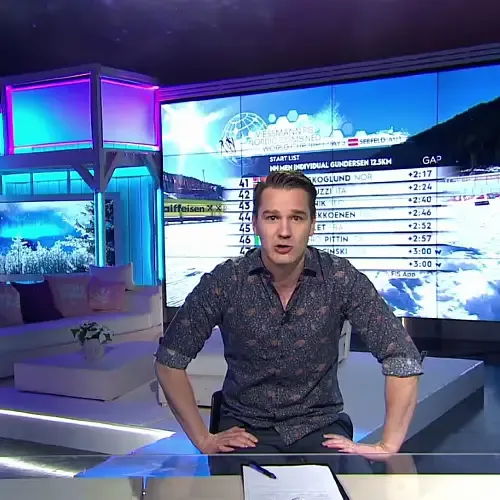
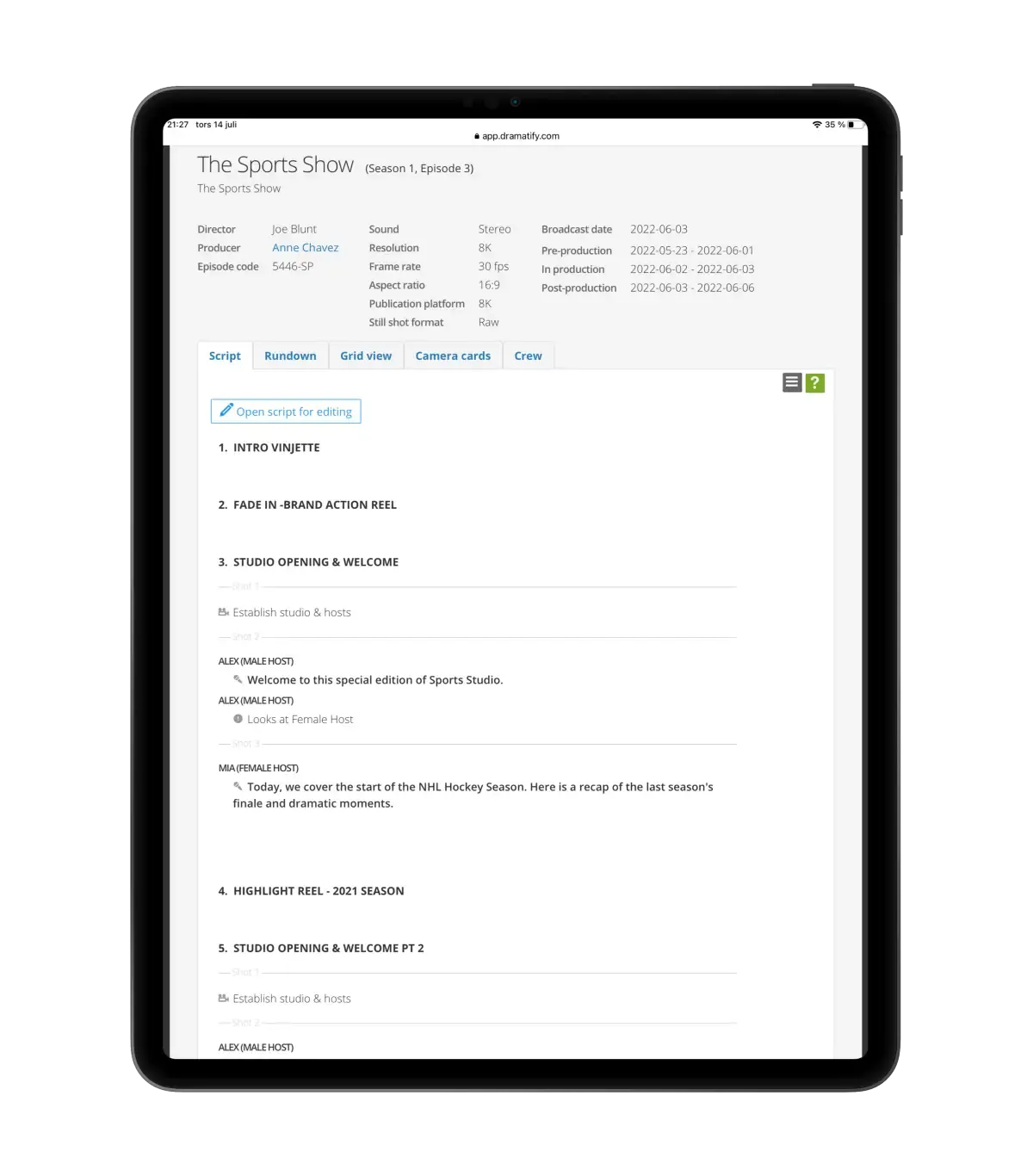
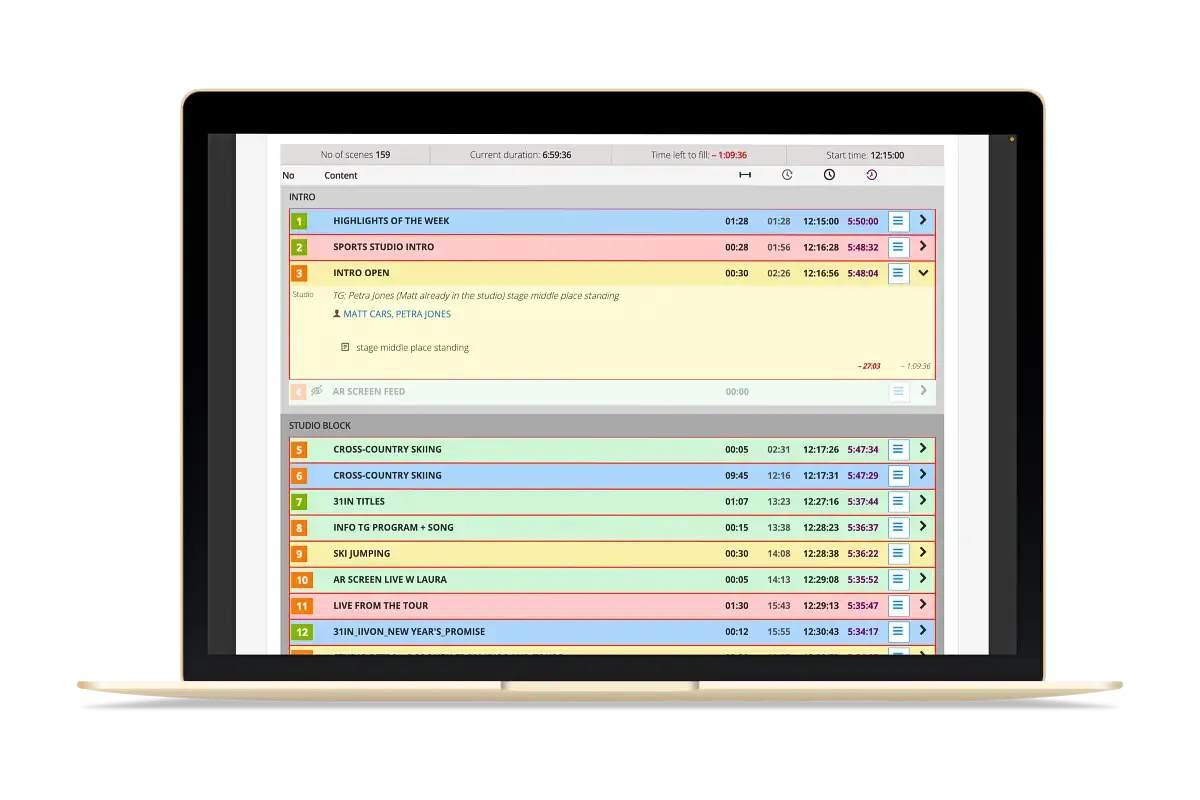
Rundowns are the star: AI accelerates your workflow with instant outline generation and writing support that respects tone, roles and timing, while four integrated views—Script, Grid/Outline, Technical Rundown, and Camera Cards—keep every role in sync. Real-time co-authoring works across continents, and edit locks with configurable freeze windows protect last-minute changes.
For multi-camera shows, you can plan alternative segments and switch on the fly; CuePilot alignment supports music and entertainment precision; action & dialogue formatting flows straight to cue cards and teleprompters; and text-based graphics created in Dramatify transfer to SPX Graphics in a click for streamlined playout.

Proven at Scale
Proven at scale, Dramatify's broadcasting software suite has supported 700+ hours of Olympic and Paralympic coverage across five channels including radio, Eurovision Song Contest qualifiers, full seasons of sport studio broadcasts, world championships, major music festivals and live concerts. If you're upgrading from studio-locked systems or patchwork tools, this is broadcasting software designed for modern teams who need to move faster—from anywhere.
Request a demo or start a free trial to see it in action!
DETAILED VIEW
The Rundown Suite In-Depth Features & Workflows
Script Writing, Viewing & Collaboration
- Real-time co-authoring, anywhere: Collaborate in the same rundown from the same office, different cities—or continents—with live presence and instant updates.
- Grid/Outline View — shape structure, timings and segment order at a glance.
- Script View — generate, write and polish copy with cues and AI content generation.
- Technical Rundown View — shots, script, sources, audio, graphics, routers, tallies and TX notes for engineering and gallery.
- Camera Cards — per-camera or multi-camera shot live cards for camera operators.
- Studio views for production staff that do not need to login. Accessible through QR code or a link with expiration date.
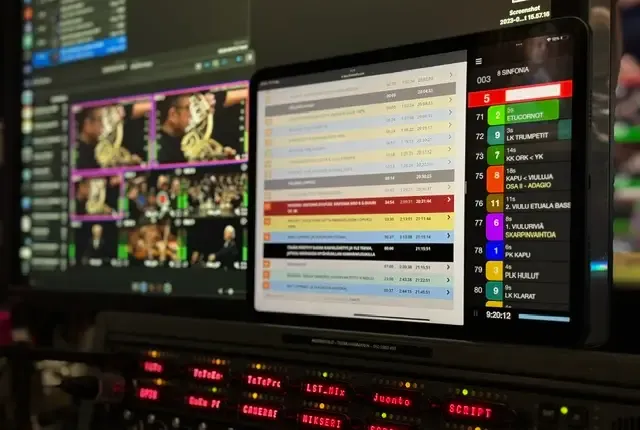
- Technical Rundown view for shot planning, rehearsal mode and live mode.
- Camera Cards view with selectable cameras and live during rehearsal and live modes.
AI-Assisted Rundowns
- Instant outline generation: Create full rundown outlines for entertainment, music, sports, and factuals in seconds—ready to refine in the Script view.
- Writing support, not re-writes: Draft intros, links, facts, monologues, dialogue, and scripted segments faster with guided prompts and safe, role-aware assistance.
- Multilingual coverage (59+ languages): Generate and polish presenter copy for international and multilingual broadcasts.
- Smart polish & continuity: Tighten copy, enforce tone/brand guidelines, and keep names, segments, and terminology consistent across the show.
- Timing-aware suggestions: AI helps estimate durations and adjust segment pacing to keep your programme on time.
- Keeping Your IP Secure: Your creative work stays private. None of your data is used to train the AI, ensuring full protection of your ideas and scripts through MS Azure AI. Private options available.
Formatting & Cueing
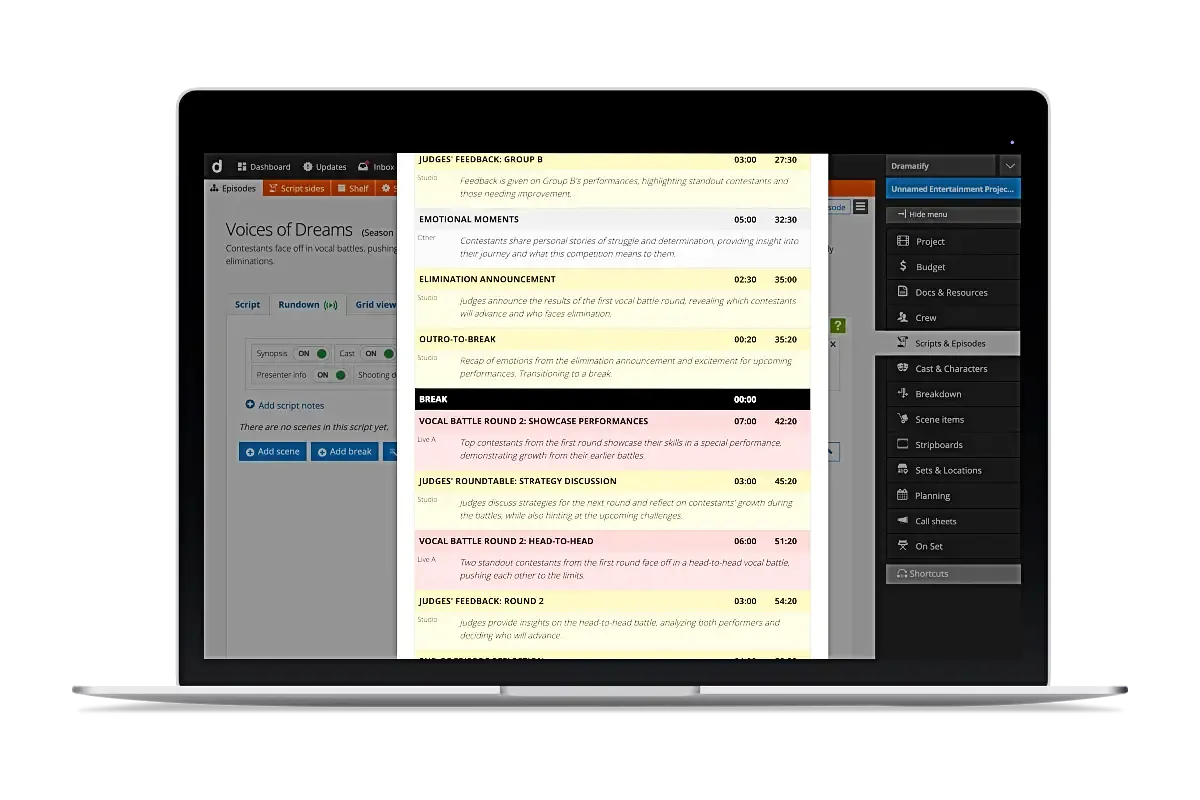
- Edit-in-place speed: Update copy, cues and timings directly—no modal hopping—while every change remains auditable.
- Shot-aware structure: Plan complex, multi-camera segments with clear sequencing for the director and vision mixer.
- Seamless cueing to talent: Action & dialogue formatting transfers directly to cue cards and teleprompters, with assigned speakers and presenter info.
- Pre-record timers: Log actuals for pre-recorded segments; durations update instantly for tight timing control.
- Graphics in one click: Add graphic items inline and transfer to SPX Graphics with a single click for streamlined, linked playout.
- Controlled change windows: Role-based permissions, edit locks and editing switching to block last-minute edits; authorised gallery leads always have access.
Live, Studio & Gallery
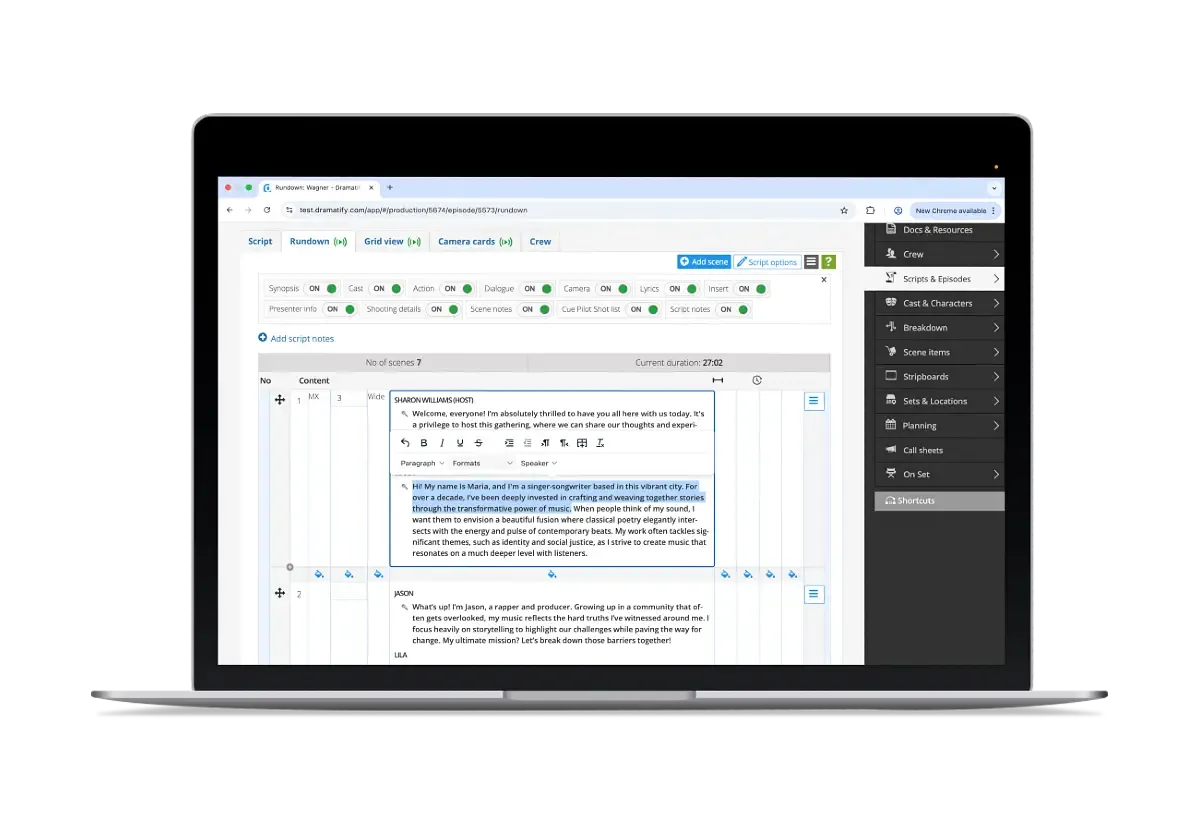
- Alternative segments (on-the-fly switching): Pre-plan A/B (or more) outcomes—complete with timings, copy, and associated graphics—and switch live with a single action. The chosen path updates timings and propagates to linked outputs (prompter text, cue cards, and SPX Graphics) for seamless execution.
- Rehearsal Mode: Pause, reset, stop, and save during rehearsals while keeping timings accurate for the next run-through.
- Live Mode with redlining: Run the show paperless; see live over/underrun, automatic back-timing, and overflow warnings as you play out.
- CuePilot alignment: Sync scripted music/dance and entertainment blocks for frame-accurate execution in multi-camera shows.
Graphics, Prompter & Playout
- OBS live & Gallery (workflow fit): Dramatify supplies cues/timings/content; OBS handles mixing/encoding. No direct OBS control; no plug-ins/hardware install—ideal for rented OB vans.
- SPX Graphics (text-based pipeline): Write graphics directly from the rundown—lower-thirds, titles, intros, outros, tickers, scoreboards, etc.—playout from the SPX Controller to switchers.
- Teleprompter exports: Standard .txt for prompters, translation, subtitles/captions; MOS/AutoScript/AutoCue-ready files for download; direct MOS–prompter integration for live auto-fetch updates.
- Live music workflow: Dramatify holds content while CuePilot drives the vision mixer and optionally fires SPX Graphics authored in Dramatify.
- Archive-ready exports: Output structured metadata and rundown content as JSON for asset/metadata systems like Avid MediaCentral—either as manual download or enable auto-fetch integrations to streamline archive, compliance, and post workflows.
The Story Shelf
for pre-production planning, script writing & storage
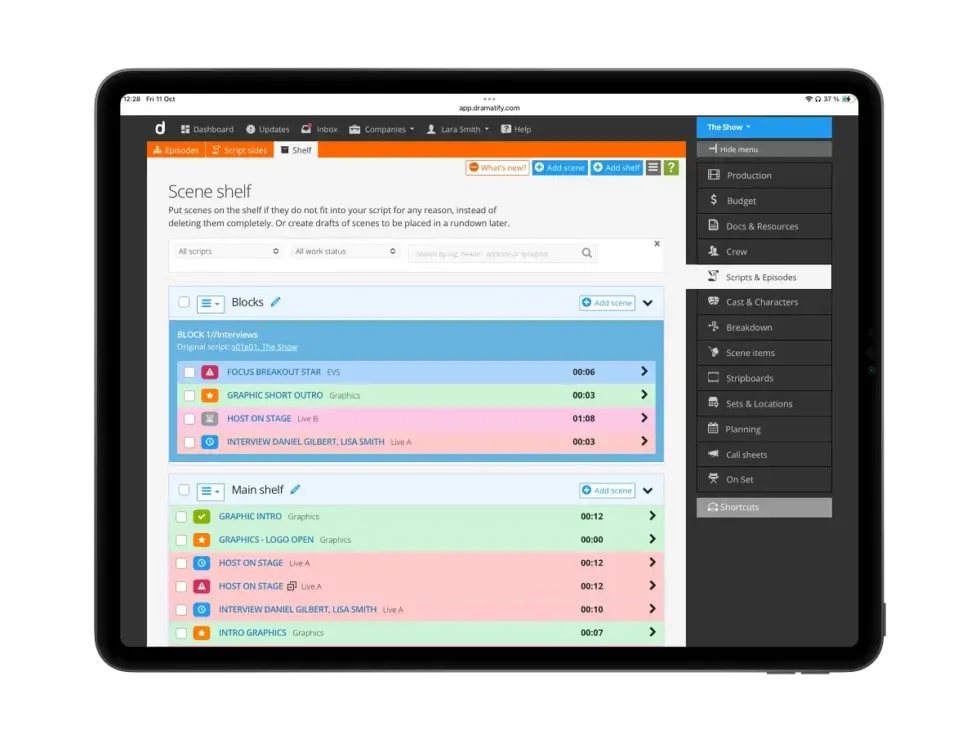
The Story Shelf is the Swiss army knife for pre-production and production — plan, create, store, bounce and sync! Create ideas and developing stories here while schedules are still fluid.
Plan and pre-produce content for big events where the scheduling is still in development by creating and writing segments until day and time are locked; when ready, push to the correct rundown.
Breaking news and a rundown reshuffle? Move and store blocks and segments between episodes, and synchronise master objects across multiple rundowns so updates propagate everywhere.
Plan once. Stay in sync. Deliver on time.

Gantt, Day Plans & Pre-Produced Shoots—in One Place
From long-range planning to daily execution, Dramatify's broadcasting software suite gives broadcasters one connected toolkit for production planning and scheduling. Map the whole season with an integrated Gantt-style Production Planner, build precise day plans for rehearsals and live days, and schedule pre-produced shoots with multi-scenario options when content needs to be reshuffled on the fly. Everything updates across devices and roles so producers, coordinators, directors and engineers stay aligned.
From Plan to Action—Automatically
Schedules aren't just pictures on a wall—they drive the work. Dramatify links plans to the rest of your workflow: call sheets, time sheets, catering lists and personal dashboards update automatically. Filter by episode, department or team; lock edits when needed; and move faster without spreadsheets or copy-paste errors.
DETAILED VIEW
The Scheduling Suite Detailed Scheduling & Planning Features
Company-Wide Resource Scheduling
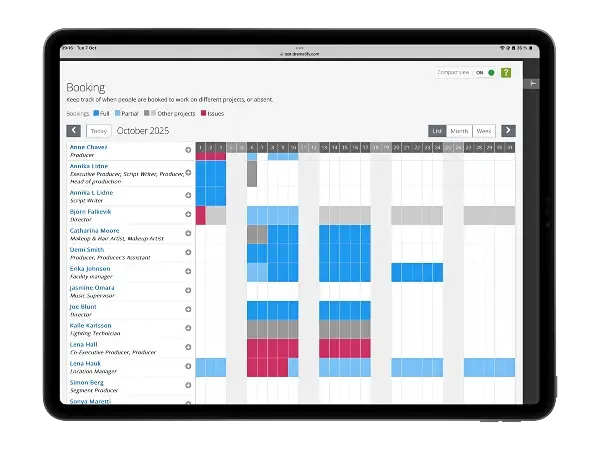
Gain complete operational visibility and control across productions. Dramatify's Company-Wide Resource Scheduling (Resource Booking) provides a real-time, unified view of every staff member, freelancer, and talent involved in your productions.
- Cross-production visibility — see who's booked, available, or on leave.
- Conflict alerts — prevent double-bookings automatically.
- Integrated workflows — syncs with crew & cast booking, call sheets, and time sheets.
- Centralised updates — real-time data for all departments.
- Access control — secure rights for production and company admins.
- Result: Precise, conflict-free scheduling across every broadcast project.
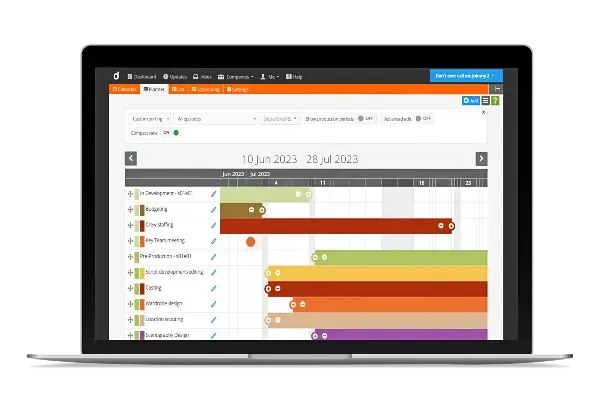
Production Planner (Gantt Overview)
- Plan general production periods, broadcasts/premieres and episodes on a Gantt-style chart.
- Add custom periods or single-day events; attach department and responsible assignee.
- Advanced edit to type dates quickly; Compact view for maximum overview.
- Sort by date or drag-and-drop custom order; filter by episode and/or department.
- Control access: co-planners vs read-only; current plans on the Dashboard after login.
- Works on any device (desktop to smartphone).
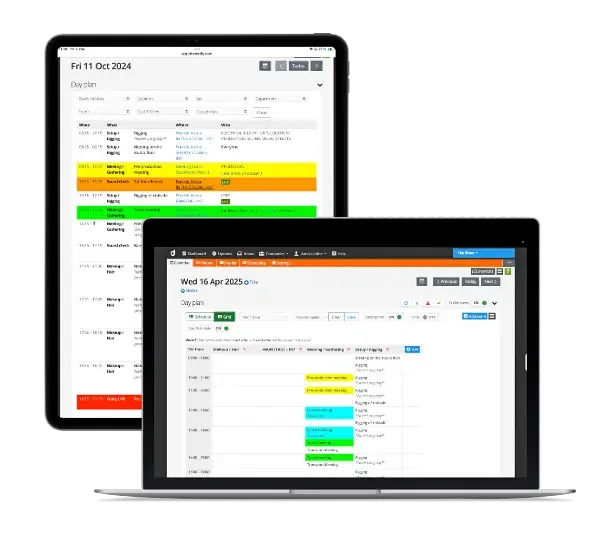
Day Planner (Daily Production Scheduling)
The production coordinator's best friend — no more spreadsheets. A scheduling solution designed explicitly for large broadcasting productions.
- Create smart daily schedules fast as lists; apply filters to produce role-specific views.
- Create templates for custom column views.
- Automatic personal schedules on each user's Dashboard (crew & cast).
- Updates in real time; operates independently but aligned with your production data.
- Optional printing, or share securely for the period you choose; mobile-friendly.
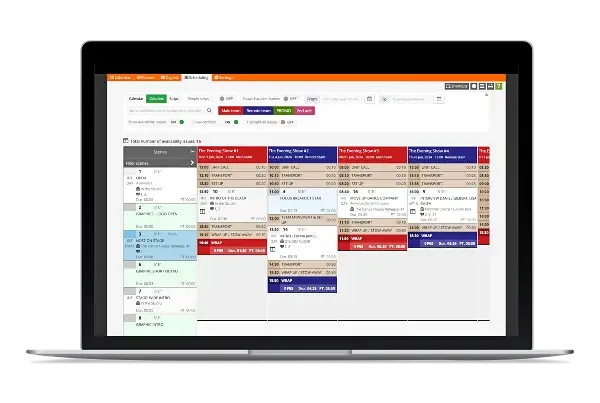
Shooting Scheduling for Pre-Produced Content
- Built primarily for pre-produced shoots (film, drama, documentary, segments).
- Multi-scenario schedules to reschedule on the fly; share privately or with the team.
- Bulk-add scenes with Day Finder; unlimited episodes.
- Up to five simultaneous teams, each with its own call sheet.
- Multiple views: calendar, column and stripboard.
- Automatic running orders with team access.
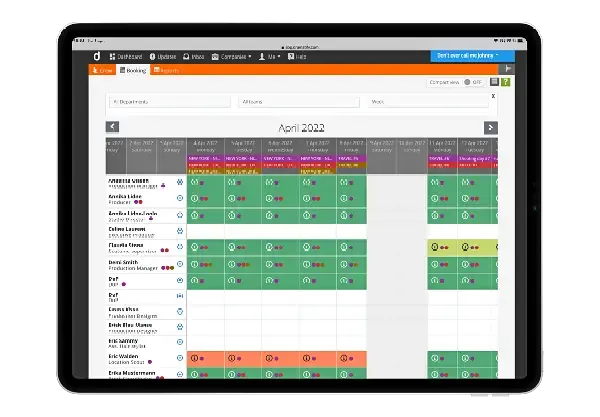
Crew Scheduling
- Visual crew schedule; book part-days, full days, periods or the entire production.
- Add absences; filter by department, team and week (monthly view by default).
- Automatically reflected in call sheets, time sheets and food/catering lists.
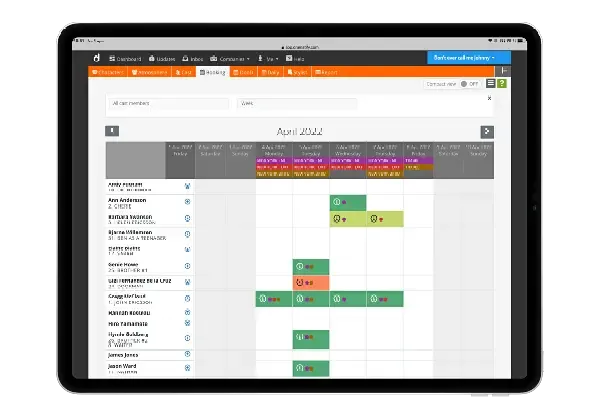
Cast Scheduling
- Daily cast scheduling feeds directly into call sheet cast calls, time sheets, catering lists (if used) and the daily production report.
- Call sheet integration includes personal info and transport orders.
- Cast & character report with days worked, page counts and flexible formatting.
“Dramatify streamlines productions. Everything for everyone is in your mobile in real time. No emails, no shared document, no missing info, no different versions. Everyone here just loves it!”
Gala show director, Europe
Other features integrated
with our Broadcasting Software Suite!
Check out our other features below that integrate with our broadcast software suite.
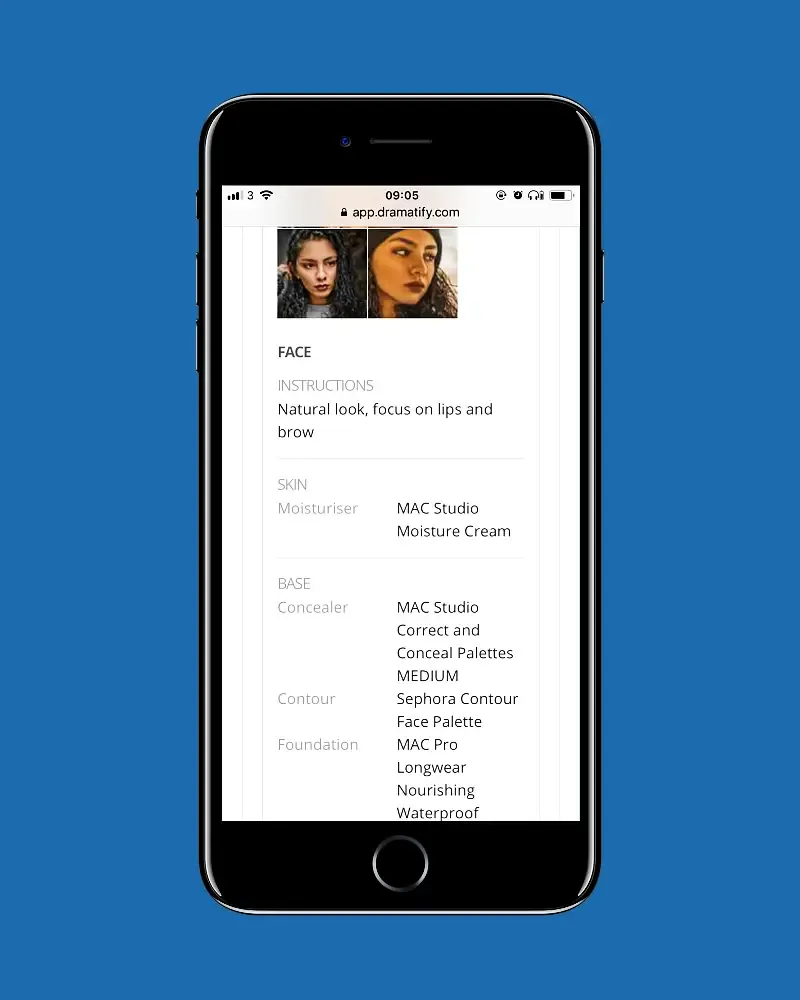
Makeup, FX & Hair
Manage looks, continuity and schedules for makeup, special effects and hair — integrated with call sheets and stripboards.
Learn more »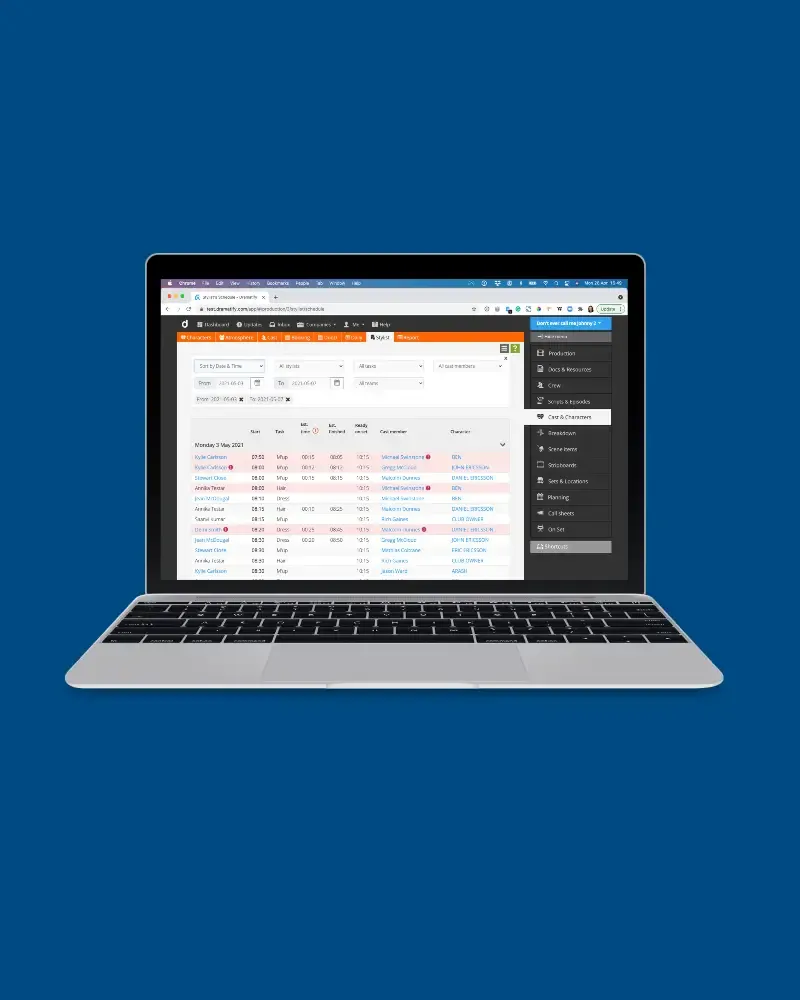
Automatic Stylists' Schedules
Automated stylist schedules with double-booking alerts from Daily Cast Scheduling.
Learn more »
All features
Learn more about all of Dramatify's features to super-charge your productions!
Learn more »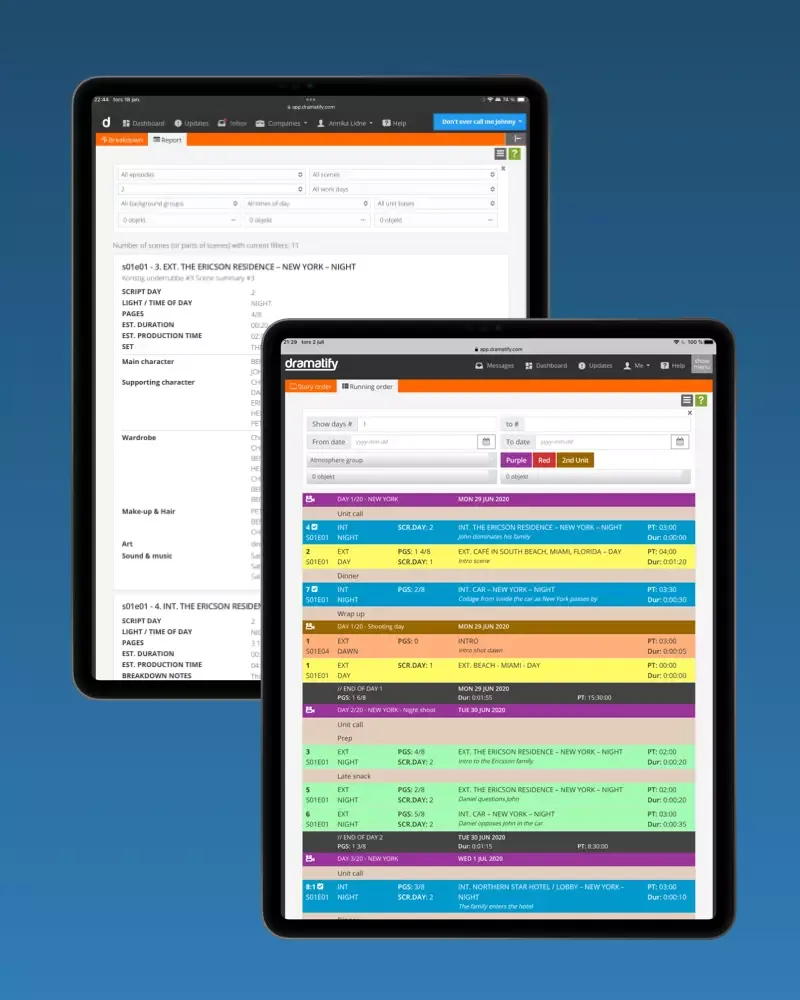
Stripboards & Reports
A comprehensive range of reports and stripboards, ensuring your entire team stays informed, aligned, and up to date at every stage of production.
Learn more »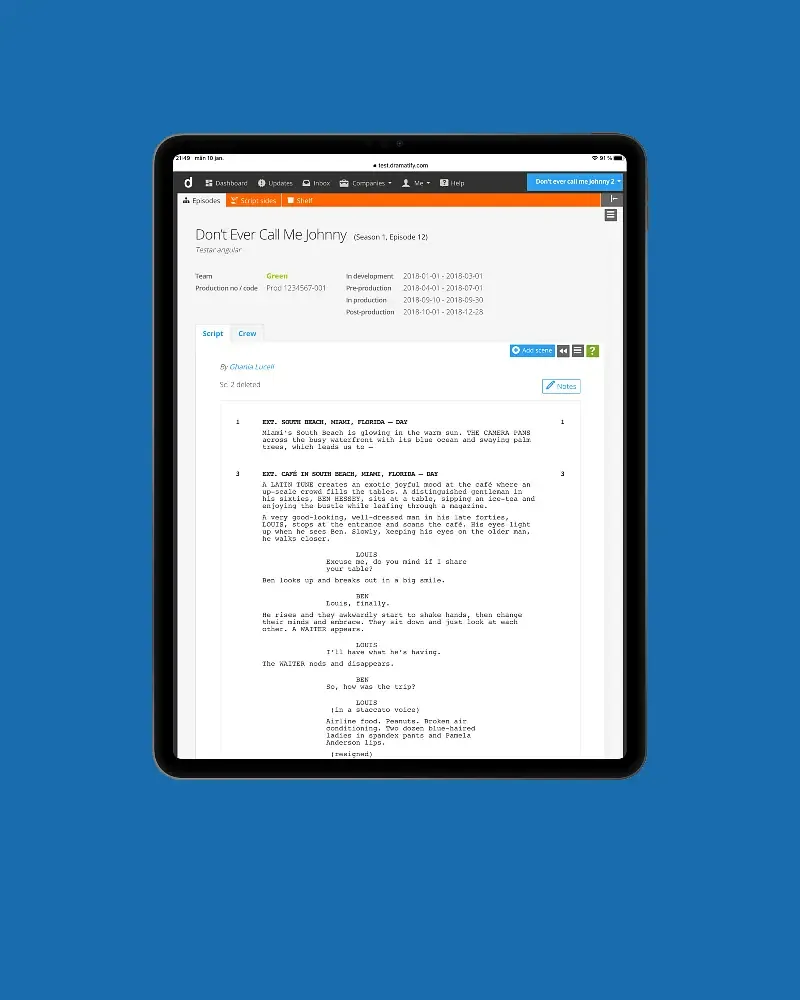
Screenplays & Script Management
Integrated screenplays and script management with automatic script sides and watermarking.
Learn more »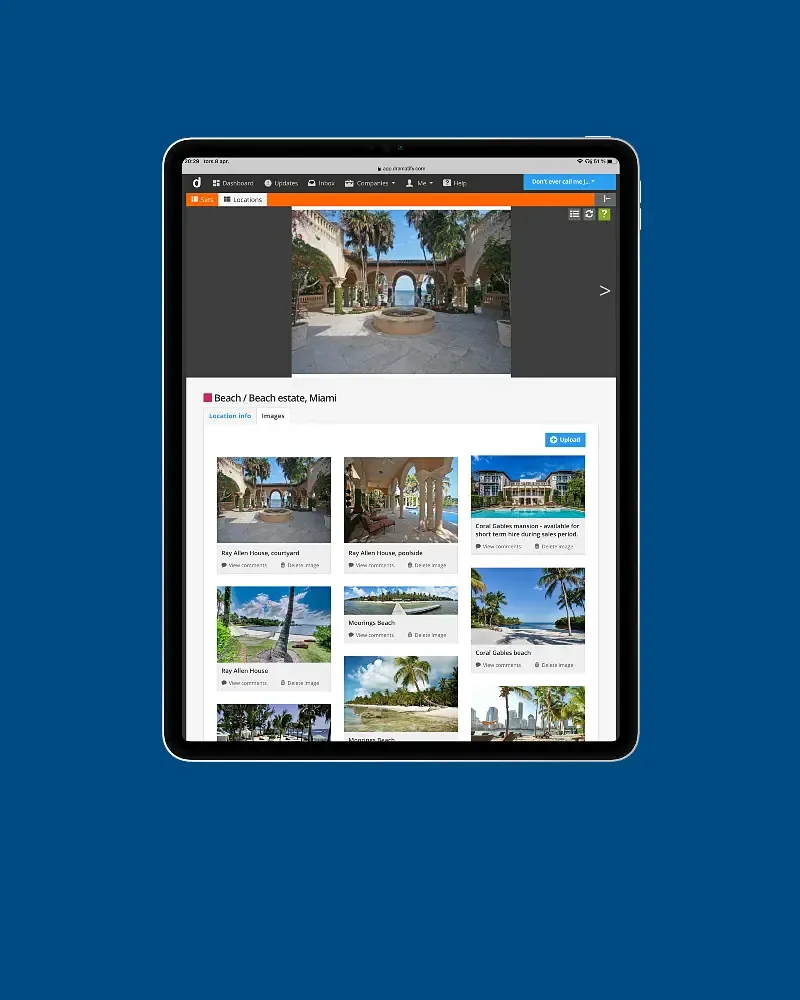
Locations & Venues
Images, releases, statuses, maps and automatic weather reports — all connected to call sheets and schedules.
Learn more »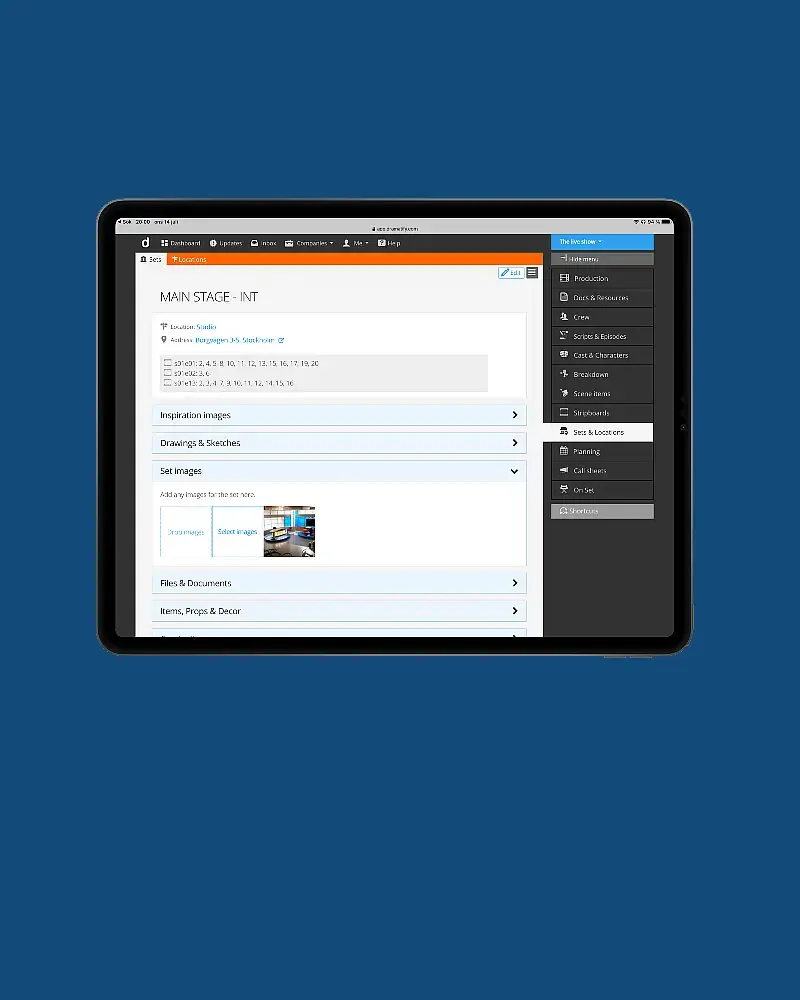
Sets & Scenography
Smart integration from images and props to 3D files and continuity — keeping set design connected to production.
Learn more »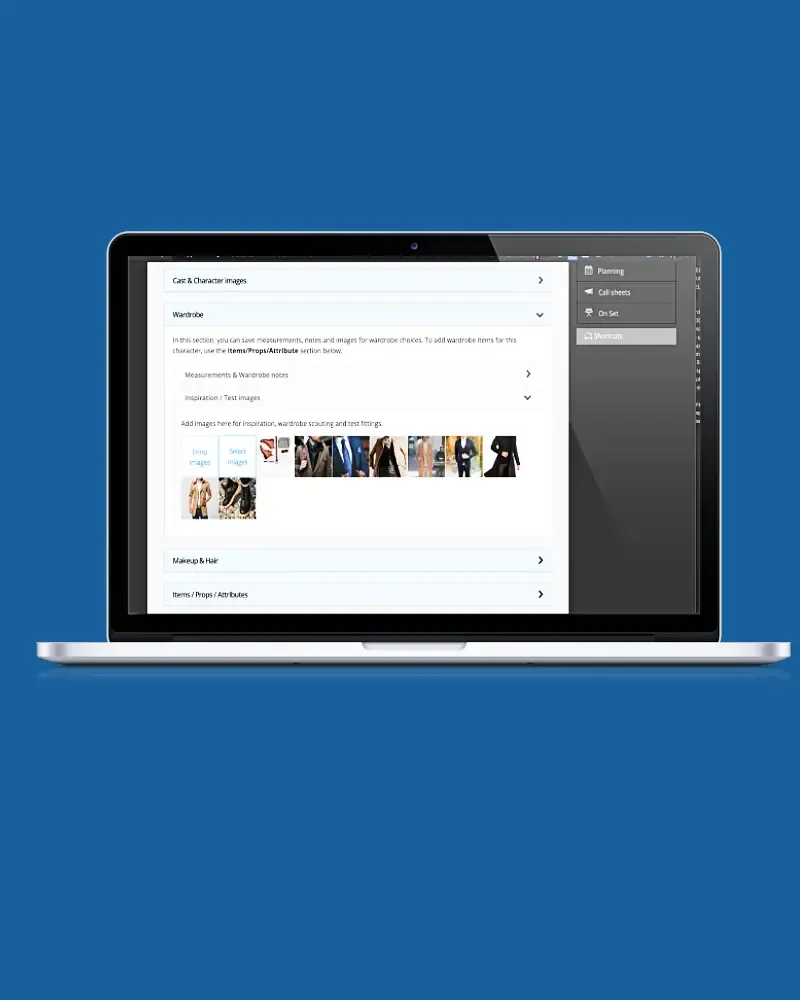
Wardrobe
Integrated wardrobe management: images, measurements, items, stripboards and continuity across episodes.
Learn more »