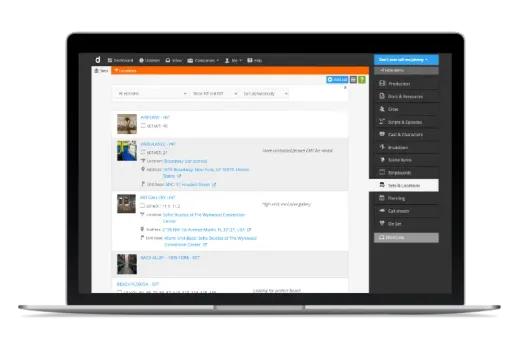
Set management & scenography – Everything you need for handling your sets during pre-production and shooting.
Scenography and set details can be overwhelming. From construction through props to continuity, Dramatify helps you handle all the details.
Dramatify offers lists and pages for sets as well as a breakdown report that include all set information.
During breakdown, you connect the set to scenes, turn defining set characteristics and props in the script into scene items, and then connect locations to sets. Suddenly, you and your team have a wealth of interconnected information at your fingertips, and Dramatify can automatically start help you gather and display useful information.
Add scene items and scene item options directly to sets
We have also extended scene items past breakdown. This gives you the option of letting the set construction and props teams add both scene items and scene item options directly to a set without passing the breakdown. On the set page you see all scene items and production details added to that set, and you can also filter on department so each department knows what they need to do.
Set list and set reports
The set list becomes a working document as a set report, clearly showing in which scenes a set is used, which sets are connected to a certain location and a specific unit base. You can filter the set list on int/ext sets, as well as on locations.
Try Dramatify today!
30 day free trial. No credit card required.