How do I create a series or multi-episode production?
Last updated:
If you would like to check whether your production is set as a feature/single script or a series/multi-episode, please check the sidebar menu. If it reads ‘Script’ in the top half, it’s a single-script production. If it shows ‘Scripts & Episodes’, it’s a multi-episode production.
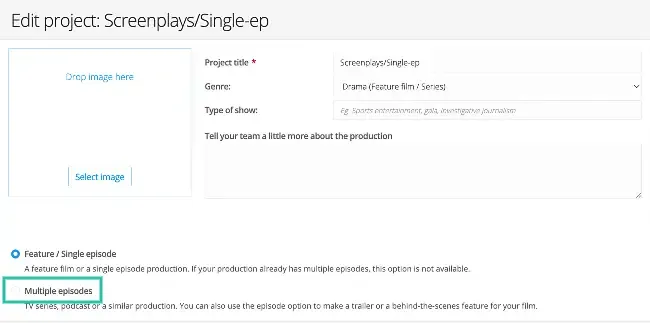
- To switch from single to multi-episode:
- Go to Project in the sidebar
- Click the Edit icon
- Update the Multiple Episode selector from single episode to multiple episodes
- Remember to save at the bottom of the page!
Was this article helpful?
Thanks for your feedback!